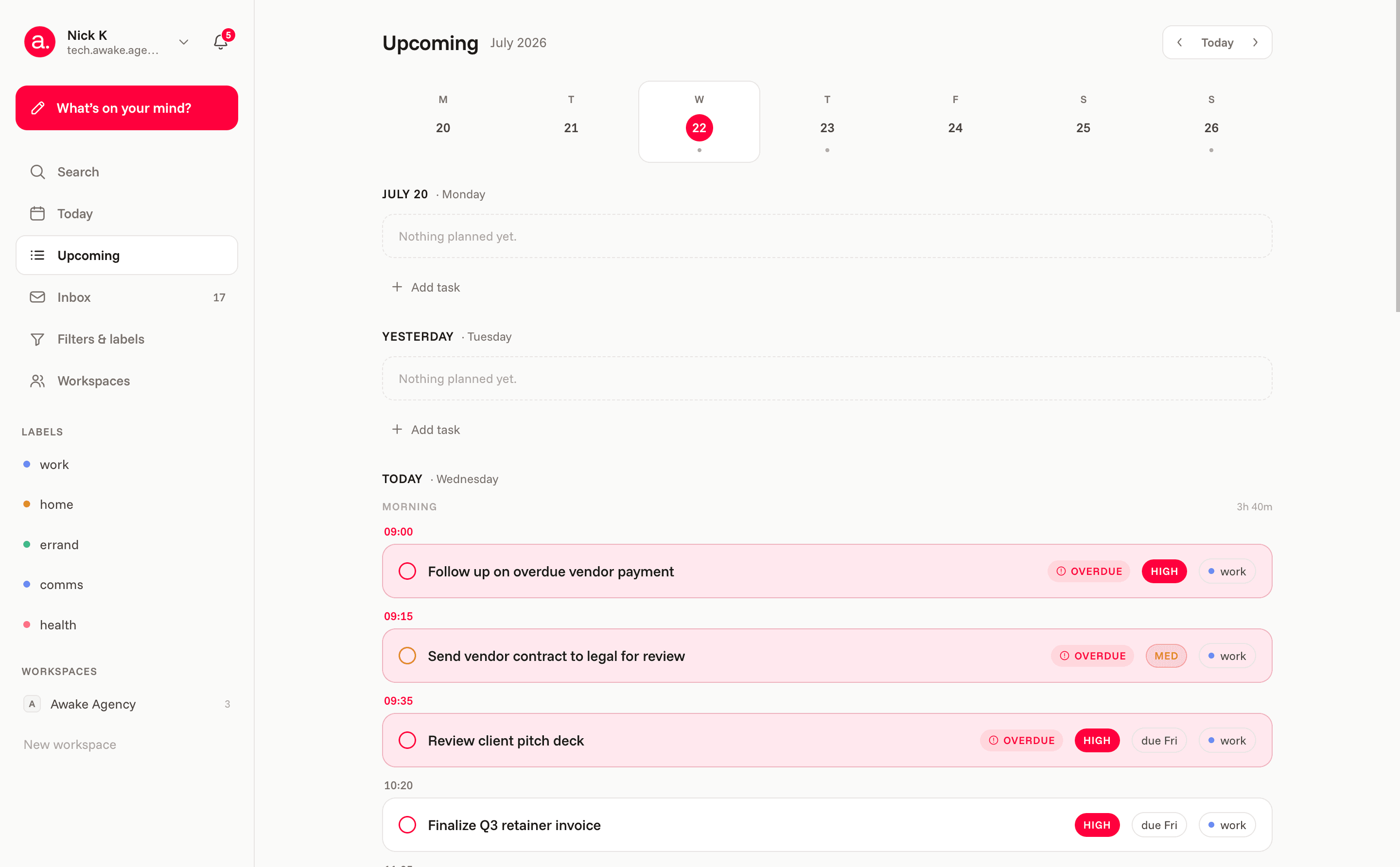
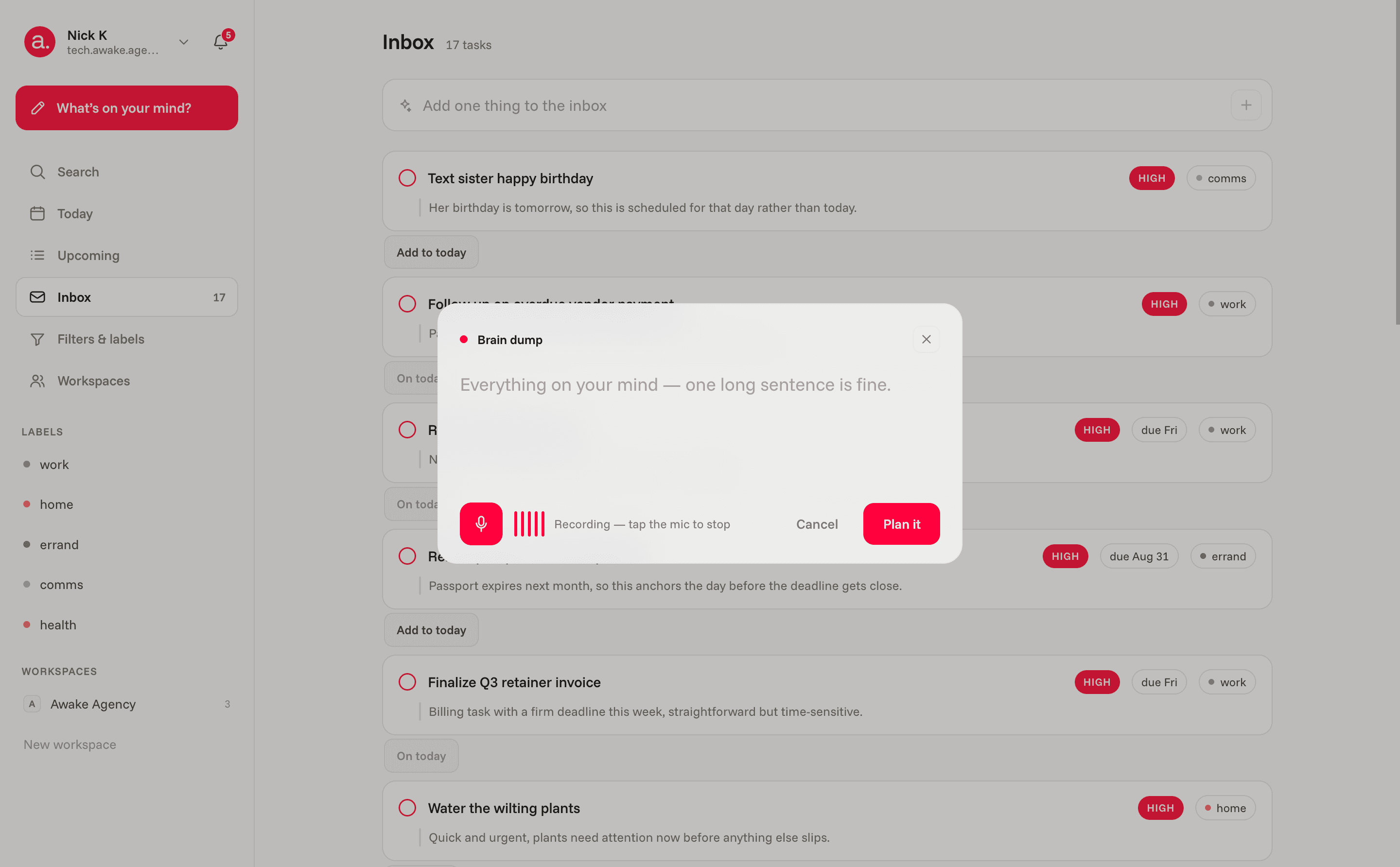
Dump everything on your mind. Cerno decides what matters, estimates the effort, and hands you one realistic day — in order, with the rest quietly parked.
A to-do list only ever grows. Cerno reads the pile, weighs urgency against effort, and protects your day from itself — so you finish, instead of scrolling.
watch it think.
today, reprioritizedcerno is planning
fix the kitchen leak20m
reply to the Karlsson brief10m
draft Q3 planning doc90m
book the dentist5m
review 3 pull requests35m
pick up dry cleaning15m
anchor
urgency against effort, recomputed as things land.
just start typing
brain dump
no fields, no tags. cerno reads the mess.
plan readyyour day, at a glance
deep work — planning docnow
quick wins — 3 tasks11:00
parked — 4 deferredlater
three moves. one calm day.
quiet on the surface. decisive underneath.
Capture
One box. It untangles the rest.
Write or speak a stream of everything you owe the day. Cerno turns it into titled tasks, each with a priority, an effort estimate, a deadline and a one-line reason — no key required to try it.
brain dump
cerno structured 3 tasks
call the plumber20m
reply to the Karlsson briefdue Thu
book the dentist5m
The plan
A realistic day, not a wish list.
A capacity guard runs after the model: anything that pushes past your working hours is moved to tomorrow, whatever it was labelled. The top of Today explains the shape of the day in one honest line.
today's capacity8h working day
morning3h 40m
afternoon3h 00m
evening1h 20m
4 tasks parked for tomorrowover capacity
Inbox
Nothing waits without a reason.
Whatever Cerno parses but doesn't schedule lands in the inbox, each row showing why it wasn't planned — and a single tap to put it on today.
inbox · not scheduled
text sister happy birthdaycomms
add to today
Drag & drop
Move anything, anywhere.
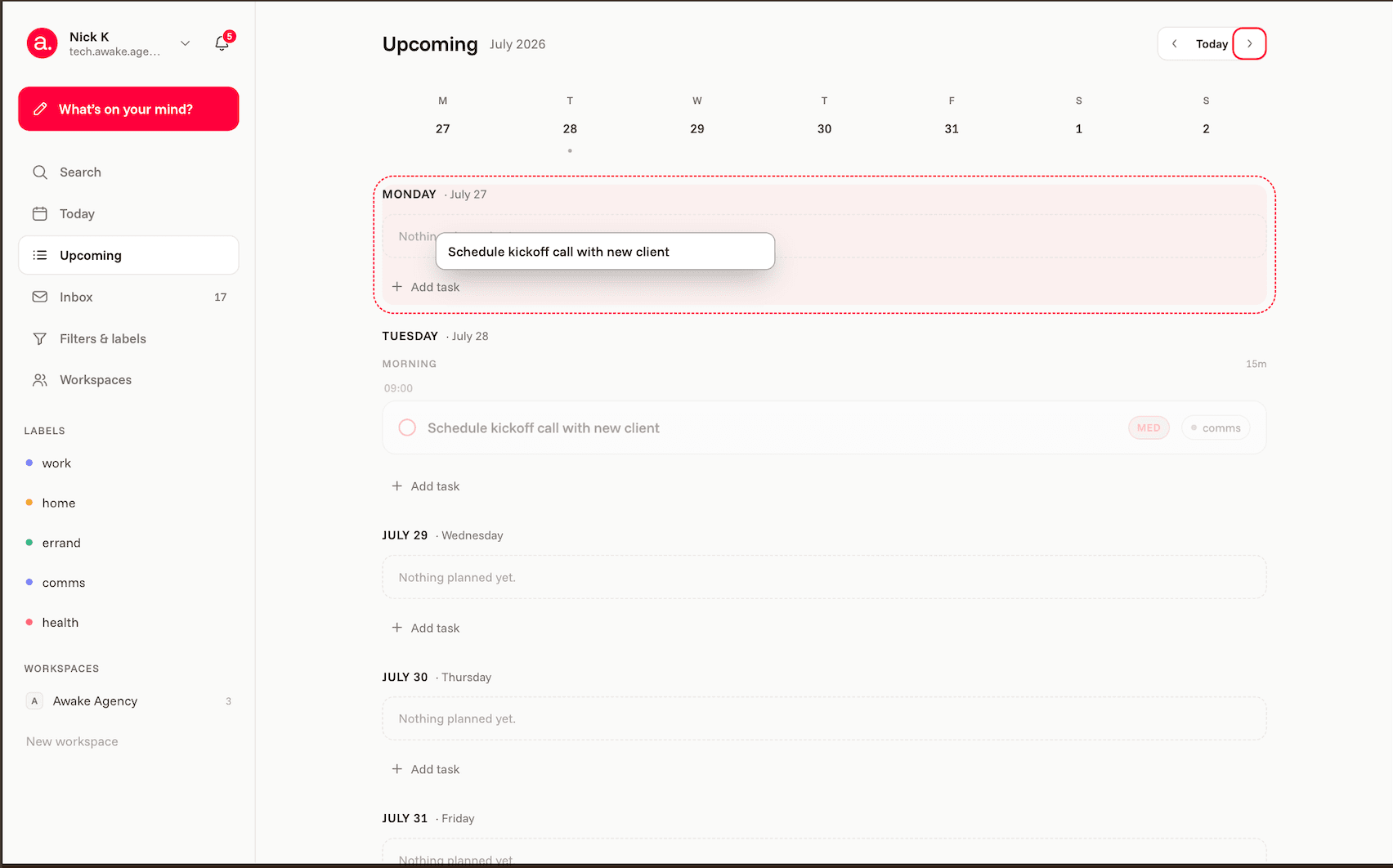
Drag a task to another day, drop it into a time block, or postpone it to tomorrow. On a phone, press-and-hold — it never fights the swipe.
morning3 / 4
afternoon1 / 4
evening2 / 4
review the proposal45m
Labels & filters
Tags and views that build themselves.
Cerno labels new tasks automatically — errand, comms, health, work. Filter by priority, deadline or label; search scans titles, labels and reasoning.
renew passport before it expires
auto-applied labels
workhomeerrandcommshealth
group by
prioritydeadlineby label
Reminders
Nudges only when they count.
The bell collects what's overdue and what's coming up within your lead time. Overdue warnings don't dismiss — they clear when the task is done or moved.
reminders3
water the wilting plants
09:00 · 1h 55m late
call internet provider about billing
09:10 · 1h 45m late
book dentist cleaning appointment
09:25 · 1h 30m late
Teams
One shared day for the team.
A workspace is a shared list — up to 10 people. Assign tasks to teammates, invite by email or link, and let roles keep it tidy. You pay; the people you invite don't.
Awake Agency2 / 10 seats
MMara Kessler
schedule kickoff callM
ATM
everyone sees the shared day
Calendar feed
Subscribe from Google, Apple or Outlook. A private, revocable iCal link.
Your model
Plan with Claude or GPT — your choice, stored as a preference.
English & Ukrainian
The whole app, in either language, switchable any time.
Private by design
Every row is scoped to your account by the database, not the interface.
simple, honest pricing.
Everything personal is free, forever. Pay only when you want a shared day with your team.
No. Dump it in any order and Cerno does the sorting — priority, effort, timing and what to leave for tomorrow.
What if the plan is wrong?
It's your day. Drag anything to another day or time, edit a task, or just dump again — the plan rebuilds around what you change.
Is my data private?
Every task, label and workspace is scoped to your account by the database itself, not the interface. The calendar link is a revocable credential you can kill any time.
Do I need a credit card?
No. Free is free forever. Team is $8 a month — or $80 a year — when you want a shared list, and the people you invite never pay.
Can my team use it?
Yes — a workspace is a shared day for up to 10 people, with assignees, roles and email or link invites.
Does it work in Ukrainian?
Yes, the entire app. Switch language in Settings any time.
start planning. get your day back.
Free to start, no credit card. Dump what’s on your mind and see your day in under a minute.